Security that thinks, installed end to end.
We survey your site, install the cameras and our control software on hardware you own, and wire every alert into WhatsApp and Telegram. You get a system that watches every zone, reasons about what it sees, and reports only when it matters.
- Recordings stay on-site
- Works with existing cameras
- Commissioned & tuned for you
Three systems. One installation. Fully commissioned.
We don't ship you a box and a login. Our engineers install, provision and tune every layer: the cameras, the control software and the messengers. You sign off on a system that already works.
A command console built for your site.
We install Overwatch on a dedicated server on your premises and configure it around how your property actually works: which zones matter, at what hours, and who needs to know. Every camera, every incident and every clip lives in one console your team can run from any browser on the network.
- Multi-camera live view with real-time detection overlays
- Hand-drawn zones with per-zone rules, schedules and linger thresholds
- Incident lifecycle: open, acknowledge, resolve, suppress
- Overlay clips and poster frames for every incident
- Operator accounts, retention policies, camera-health watchdog
Your security desk, inside WhatsApp.
We provision and verify a WhatsApp Business number for your property and connect it to your system. Alerts arrive with the clip, a plain-language summary and a secure playback link. You can also ask questions in plain language and get answers from the footage.
- Business number set up, verified and connected to your server
- Incident alerts with clip, poster frame and playback link
- Ask questions in plain language: “anyone at the gate since 10?”
- Several recipients per zone: owner, manager, guard post
- Signed playback links that expire on their own
Team alerting, one tap from action.
For guard teams and multi-person rotas, we set up a private Telegram bot and an escalation group. Urgent incidents arrive with inline buttons, so whoever is on shift can acknowledge in one tap and everyone sees who's handling it.
- Private bot and security group, access-controlled
- Inline actions: view playback, acknowledge
- Scheduled briefings: overnight summaries and daily reports
- Live view and camera status on request
- Runs alongside WhatsApp, with different recipients per channel
Rules that understand context. Alerts that arrive with proof.
Every scenario below is a rule we can configure during commissioning. Pick one to see what happens between the camera and your phone.
Someone crosses the fence line at night.
The perimeter zone is armed only after dark. A person entering it opens an incident immediately, with no linger needed, and the owner and guard post are alerted with the clip.
Under the hood
- 01:12:38person detected · conf 0.90 · track #77
- 01:12:39entered PERIMETER zone · armed 19:00–06:00
- 01:12:39rule: instant trigger → INC-1187 OPEN
- 01:12:44clip + poster rendered with overlays
- 01:12:45WhatsApp → owner, guard post
More than motion detection.
Motion sensors alert on swaying trees. Overwatch knows what it is looking at, where it is, and whether it matters at this hour. Every capability below ships with every installation.
Zone-based rules
Draw zones on each camera. Each zone has its own rule: what to detect, when, and for how long.
80 object classes
People, vehicles, animals, bags and more. Alert on what matters, ignore the rest, and suppress the neighbour's cat.
Linger thresholds
Ignore people walking past. Escalate when someone stays at the gate, by the car or at the bay doors.
Fire & smoke detection
Critical classes bypass schedules and cooldowns. They alert everyone at any hour.
Schedules & quiet hours
Arm zones by time of day and day of week. Business hours stay quiet and nights stay watched.
Evidence-grade clips
Every incident gets a clip with detection overlays and a poster frame, kept on your storage for as long as you choose.
Conversational agent
Ask questions in plain language over WhatsApp or Telegram. It searches incidents, pulls clips and reports camera status.
Scheduled briefings
Overnight summaries, daily reports and weekly rollups, delivered to whoever needs them.
Self-healing streams
A camera-health watchdog detects stalled streams and reconnects them automatically. You're told if a camera goes dark.
Signed playback links
Alert links are cryptographically signed and short-lived, so they can't be guessed and stop working once they expire.
Works with your cameras
Any RTSP-capable IP camera or NVR. We audit what you have, reuse what works and replace only what doesn't.
On-prem AI summaries
Optional local vision model writes each incident summary on your own server, so no video is sent to a cloud AI service.
From walkthrough to a working system, in weeks.
One team handles the whole project, from the first site walk to the day your guards stop getting false alarms. Typical residential and commercial sites go live within two weeks of sign-off.
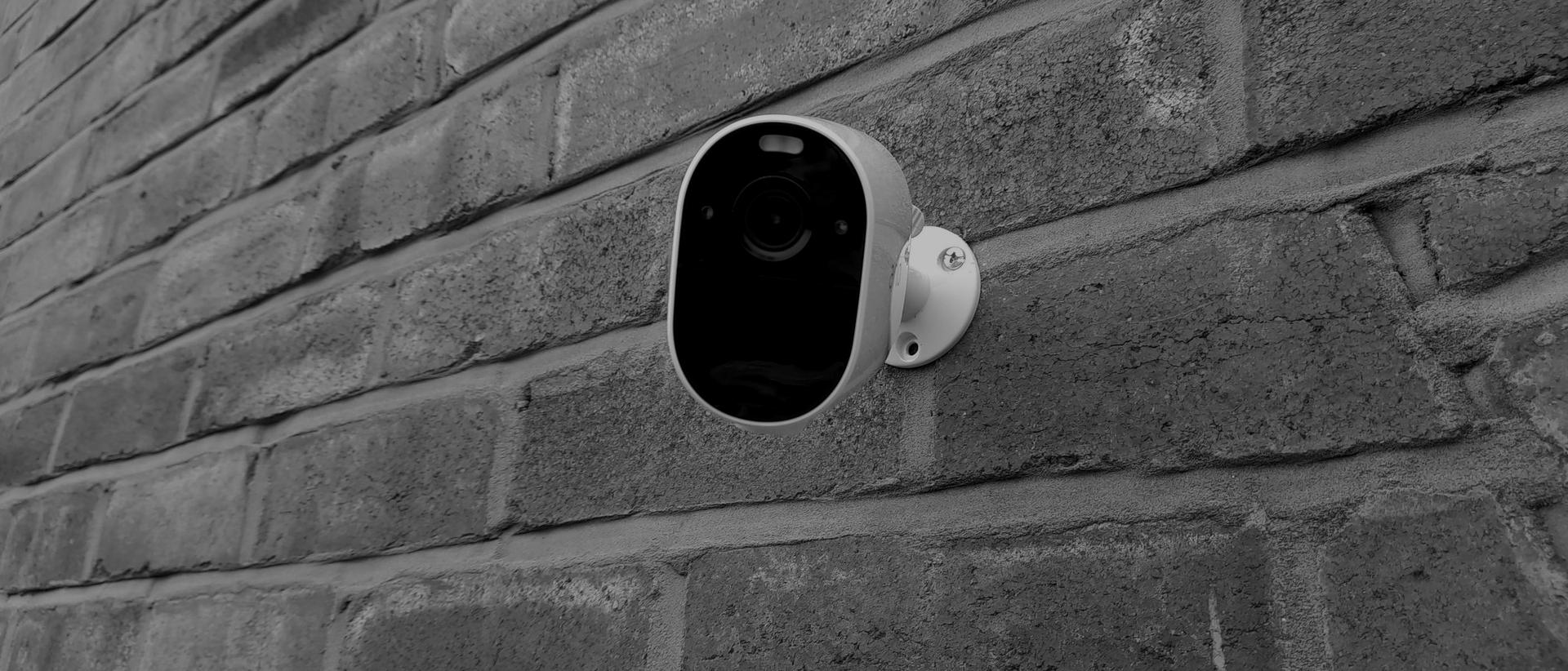
Professional-grade cameras, mounted, cabled and labelled by our own engineers.
PoE · weather-rated · tamper-checked
- 01Day 1
Site survey
An engineer walks the property with you and maps entry points, blind spots, lighting, power and network. We audit the cameras you already have.
→ Threat map · camera audit
- 02Days 2–4
System design
You get a written plan covering camera placements and fields of view, the zone and rule plan, server sizing, network segmentation and who gets alerted for what.
→ Design pack · fixed quote
- 03Days 5–10
Installation
We mount and cable the cameras, install the on-site server, put cameras on an isolated network and deploy the Overwatch console.
→ Hardware live · console online
- 04Days 10–12
Provisioning
We set up your WhatsApp Business number and Telegram bot, create operator accounts, draw every zone and configure the alert routing.
→ Channels verified · rules armed
- 0514 days
Tuning & handover
For two weeks we watch the alerts with you and adjust thresholds, schedules and suppressions until false alarms stop. Then we train your team.
→ Signed commissioning report
- 06Ongoing
Managed care
Optional: we monitor system health, apply updates, re-tune when your site changes, and respond when a camera or disk needs attention.
→ Health checks · updates · support
Private by architecture, not by promise.
A security system you can't trust is a liability. Overwatch runs on your premises, on hardware you own, behind a network we design. Your recordings never leave the building, and alerts go only to the people you name.
Your recordings stay on your hardware
Continuous recordings, clips and frames are stored on the server we install on your premises. Only short incident clips are sent out, for AI analysis and to the people you alert.
Cameras on an isolated network
Cameras sit on their own VLAN with no internet access. Only the Overwatch server can reach them.
Signed, expiring links
Every playback link in an alert is signed and time-limited. Forwarded or stale links stop working.
Retention you control
You decide how long raw footage and clips are kept. Footage linked to an incident is preserved, and everything else is pruned on your schedule.
Named operators, not shared logins
Each person has their own account. Alert recipients are named per channel and per zone.
Keeps watching when the internet drops
Detection, recording and the console all run on-site. An internet outage pauses messenger alerts, not monitoring.
Private residences
Gates, perimeters, driveways and staff entrances
Gated estates & compounds
Multi-gate access, guard posts, shared areas
Warehouses & yards
Bay doors, stock rooms, after-hours vehicles
Retail & hospitality
Back-of-house, cash rooms, closing routines
Construction sites
Plant, materials and perimeter overnight
Farms & remote sites
Livestock, stores, fuel and fence lines
Scoped to your site. Quoted once.
Every property is different, so every engagement starts with a survey. You get a fixed quote covering hardware, installation, provisioning and tuning. Your recordings live on your own hardware, so there are no cloud storage fees.
Residence
Up to 8 cameras
- Site survey & design
- Camera install or re-use
- On-site Overwatch server
- WhatsApp alerts & agent
- 14-day tuning period
Business
8 – 32 cameras
- Everything in Residence
- WhatsApp + Telegram team alerting
- Per-zone routing & schedules
- Operator accounts & training
- Scheduled briefings & reports
- Managed care option
Estate & Enterprise
32+ cameras · multi-site
- Everything in Business
- Multi-site architecture
- Guard-post escalation design
- On-prem AI incident summaries
- Priority support with response targets
- Custom integrations
Before you book.
Anything not covered here, we'll answer on the survey call.
Do I need to replace my existing cameras?
Usually not. Overwatch works with any IP camera or NVR that can output an RTSP stream, which covers most systems installed in the last decade. During the survey we test every camera you have. We reuse what works and only recommend replacements where coverage, resolution or night performance falls short.
Does my footage leave the property?
Your continuous recordings never do. Recording, detection and storage all happen on the server we install on-site. When an incident fires, a short clip and a few frames are sent to an AI vision service to write the summary, and the alert (clip, poster frame and a signed, expiring playback link) goes to the people you name on WhatsApp or Telegram. If nothing may leave the site, we can configure a fully local AI model instead.
What happens if the internet or power goes down?
Without internet, detection, recording and the local console keep running; only messenger alerts pause. For power, we specify a UPS sized for your server and network gear, and can add backup power for cameras when the site needs it.
WhatsApp or Telegram — which should I choose?
Many clients use both. WhatsApp suits owners and managers who want alerts where they already chat. Telegram suits guard teams, with group alerting, one-tap acknowledgement and briefings. We can route different zones and severities to different people on each.
How do you stop false alarms?
Three things: object detection instead of motion detection, so trees and shadows are ignored; zone rules with linger thresholds and schedules; and a 14-day tuning period where we review every alert with you and adjust until the noise is gone.
Who owns the system once it's installed?
You do. The hardware is yours, the footage is yours, and the system keeps running whether or not you take managed care. Managed care is optional and covers health monitoring, updates, re-tuning and support.
How long does an installation take?
Most residential and commercial sites are live within two weeks of sign-off, followed by the 14-day tuning period. Multi-site and estate projects are scheduled in phases. Your design pack includes a timeline.
Let's walk your site.
Tell us about your property. An engineer will call you within one business day to schedule a survey and send a written design and fixed quote afterwards.
- Survey
- On-site walkthrough
- Design pack
- Written, fixed quote
- Go-live
- ~2 weeks from sign-off
- Tuning
- 14 days, included